
SiteView
FeaturesUse CasesPricingToolsResourcesCompareHelp
Log inStart free trial
NewUse frontier AI models to run the app

Construction management softwareBuilt by a contractor. Priced like one.

Estimates, e-signature, change orders, job costing, invoices and online payments in one app. Or skip the typing: just ask AI to write the estimate, draft the invoice or schedule the crew. Plans start at $29 a month.

Start free trial Book a demo

14 days free · No credit card · Cancel anytime

S
Dashboard
Good morning, Alex — here's your business today
This month
Active projects
12
+2 this week
Contracted
$482k
6 mo. pipeline
Costs to date
$316k
65% of budget
Margin
22.4%
+1.8% vs. last mo.
Approvals
3
awaiting client
Revenue vs. cost
Last 6 months
On track
JanFebMarAprMayJun
Revenue
Cost
Margin
Pending approvals
3
Maple Ave Kitchen
Estimate sent · 2d ago
$48,712
Cedar St Bath
Change order #2
$22,140
Birch Ln Addition
Viewed by client
$8,400
Recent projects
Updated just now
Project
Client
Contract
Spent
Status
Maple Ave Kitchen
Plano, TX
The Hayes Family
$48,712
$33,140
Active
Cedar St Bathroom
Frisco, TX
M. Alvarez
$22,140
$9,820
Approval
Birch Ln Addition
Allen, TX
R. Patel
$94,500
$2,180
Scheduled
Oak Park Deck
McKinney, TX
T. Nguyen
$14,200
$14,100
Complete
In the field
New expense
ReceiptScanned
SUPPLY CO. #214
Receipt · 06/04
Outlet box (2)12.48
Romex 12/2 50ft68.20
Cover plates8.94
Wire nuts4.30
TOTAL$103.42
Auto-scan
Amount
$103.42
Project
Kitchen Remodel — Maple Ave
Budget line
Electrical · Subcontractor
Vendor
Supply Co.
Margin 22.4% · on budget

Illustrative product preview. Sample data, not a real customer.

$29
a month to start. Not $199.
14
days free. No credit card.
1
app from first call to final payment.
0
extra apps for payments. Card and bank built in.
LeadEstimateSignedJobChange orderJob costingInvoicePaidLeadEstimateSignedJobChange orderJob costingInvoicePaid
New · AI that runs the app

Use frontier AI to run the app. Just ask.

Connect SiteView to a leading AI assistant once. Then type or talk in plain words from the truck, and it builds the estimate, drafts the invoice, writes the change order, schedules the crew and adds the job notes for you. Mostly hands-free.

  • Nothing goes to your client on its own.

    Estimates, invoices and change orders stay drafts until you send them.

  • Same login, same permissions.

    Each person can only do what their role in SiteView allows.

  • Every change is on the record.

    Owners can see each change it made, turn it off or make it read only.

Works today with
  • Claude
  • Perplexity
  • Grok
  • Le Chat
How to connect your AI assistant
Things you can ask
  1. Draft an estimate for the Miller bathroom: demo, tile, new vanity, 20% markup.

    Estimate. A draft estimate, priced the same way the estimate editor prices it.

  2. Make the 50% deposit invoice for the Oak Street kitchen.

    Invoice. A draft deposit invoice from the approved estimate, ready for you to send.

  3. Add a change order for the extra garage outlet, $350.

    Change order. A draft change order on the job, waiting for the client's signature.

  4. Put the Hill Road deck on the calendar Monday to Wednesday with Marco and Dee.

    Schedule. The job is on the calendar and both crew members get a notice.

  5. Note on the Elm Street job: inspection moved to Thursday.

    Job note. Saved to the job so the whole team sees it.

  6. New lead: Sarah Kim, two bathrooms, wants a bid next week.

    Lead. Added to your pipeline with the details filled in.

  7. Which jobs are still waiting on a signed estimate?

    Look-up. A straight answer from your own SiteView data.

Example requests. Names and jobs are made up.

The problem

That's not a system. That's a mess.

  • A spreadsheetthat was out of date the day you saved it.
  • An email threadwhere the signed estimate went to die.
  • A shoebox of receiptsnobody tied to a job.
  • A separate payments appand a QuickBooks file that never matches.
  • SiteView puts the whole job in one place.
Carpenter in a hard hat laying out lumber on a job site
On the job, not at a desk

Your crew's out working. The office work keeps up.

Bids, signatures, receipts and invoices move from the truck, the job site or the kitchen table, on any phone.

From bid to paid. No gaps.

Five moments on every job, and how SiteView handles each one.

01Estimate

Bids that look like you mean business.

Line items, sections and markup, grouped by trade or phase. Send a branded PDF that looks like a real outfit sent it, not a spreadsheet from 1998.

Estimate
DRAFT
Estimate #1042
Kitchen Remodel — Maple Ave
Demo & site prep
1 lot
$2,800
Shaker cabinets
22 lf
$18,500
Quartz counters
48 sf
$7,200
Electrical
1 lot
$3,800
LVP flooring
320 sf
$3,600
Total$35,900
Send for approval
Preview PDF

02Sign

Signed on their phone. Back in your job.

Send the estimate as one clean link. The client reviews and e-signs on any device, and the signed PDF lands back in the job. No logins, no chasing.

Client approval
SIGNED
From your client
Approved — Kitchen Remodel
Total approved$48,712
Signature
Client signature Verified
Approval email + PDF sent automatically
03Cost

Know your margin while the job's still open.

The approved estimate becomes the budget. Estimated vs. actual by line item, with margin and projected profit updating as costs come in.

Project costing
ACTIVE
Contract
$48.7k
Actual
$33.1k
68%
Margin
22.4%
Demolition100%
Cabinets80%
Electrical103%
Flooring60%
Electrical is $120 over budget
04Receipts

Snap the receipt. The budget updates itself.

Take a picture at the supply house, tag it to the job and budget line, and the actuals on the costing tab move on their own.

Expenses
POSTED
New expense
Supply Co. — Electrical
Amount
$103.42
Project
Kitchen Remodel
Budget line
Electrical
Receipt attached
SUPPLY CO. #214
Receipt
Outlet box (2)12.48
12/2 Romex 50ft68.20
Cover plates8.94
Wire nuts4.30
TOTAL$103.42
05Get paid

Invoice it. Get paid online.

Invoice from the estimate, a draw or a change order. One link, a branded PDF with your logo, and card or bank payment through your own Stripe or Square.

Invoice
PAID
Invoice #2041
Final Payment — Kitchen Remodel
Your Company
INV-2041
Labor — install6,200.00
Cabinets & hardware3,815.75
Finish carpentry2,000.00
Total paid$12,015.75
PDF
Share link

Illustrative product previews. Sample data, not real customers.

What's in the truck

One app for the whole job.

From the first call to the final payment, without juggling spreadsheets, email and a separate payments app.

Leads & clients

Every lead, client, address, and project in one place.

Estimates & e-signature

Line items, markups, and a branded PDF clients sign on any device.

Selections & allowances

Give clients options inside the estimate, and the price follows what they pick.

Change orders

Price the extra work, send it, and get it signed before you start.

Daily logs

Record crew, weather, work done, and photos for every day on site.

Job costing

Estimated vs. actual by line item, with margin updating as work happens.

AI receipt scanning

Snap a receipt, SiteView reads it and ties the cost to a budget line.

Client schedule

Publish a simple, client-safe schedule and update it without the noise.

Invoices & PDFs

Invoice from the estimate, a draw schedule, or a change order.

Online payments

Card or bank (ACH) through your own Stripe or Square, with optional card-fee pass-through.

Client portal

One link where clients review estimates, sign, and pay.

QuickBooks Online sync

Invoices, expenses, and vendors stay in step with your books.

Crew scheduling

Put jobs on the calendar, assign crews and subs, and sync Google Calendar.

Time tracking

Clock in and out against a job, and labor rolls into job costing.

Files & photos

Job photos, documents, and notes, organized by project.

Google reviews

Ask happy clients for reviews by text or email, and reply with AI help.

Who it's for

Made for the trades.

Not an enterprise platform with a 90-day rollout. Not a to-do app with a hard hat on.

Tile setter cutting tile with an angle grinder
RemodelersGeneral contractorsDemolitionFlooring & demoSmall contractorsOwner-operators
Pricing

Big-platform features. Small-shop price.

All-in-one platforms like JobTread and Houzz Pro start at $199 a month. SiteView starts at $29.

Basic
$29/mo
Solo · Team of 5 from $69/mo

Estimates, e-signature, invoices, online payments, client portal.

Most popular
Plus
$49/mo
Solo · Team of 5 from $109/mo

Adds job costing, change orders, time tracking, QuickBooks sync, reports.

Pro
$79/mo
Solo · Team of 5 from $149/mo

Adds AI receipt scanning, Google reviews, multi-company, priority support.

Start free trial See full pricing
  • Payments through Stripe or Square

    Card and bank payments run on processors you already know.

  • Encrypted in transit and at rest

    Your jobs and client details stay locked down.

  • 14 days free, cancel anytime

    No credit card to start. No contract to get out of.

  • Plain-English privacy policy

    What we collect and why, in writing.

Why SiteView exists

Built by a contractor who got tired of waiting.

SiteView started with a small trade contractor. As the business grew into general contracting, the software never kept up. One app did the estimates, another did the invoices, and none of them handled the whole job.

So we built our own. We've been running real jobs on it ever since, fixing what slows a crew down and adding what's missing. We're not done, and we don't plan to be.

No sales team, low overhead. That's why the price stays low.

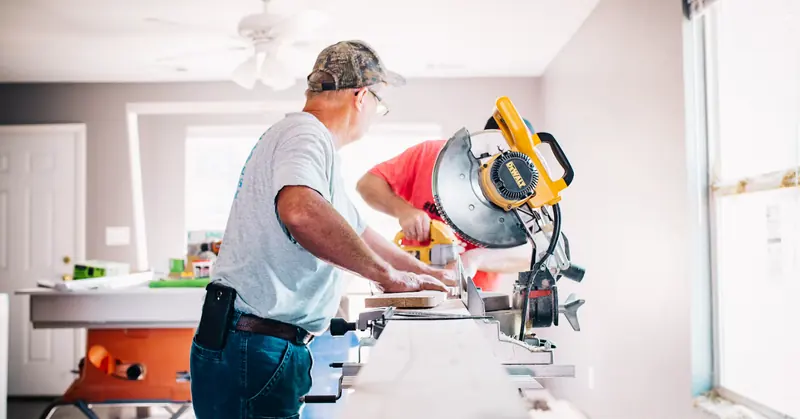
Contractors cutting trim on a miter saw inside a remodel
Simpler than enterprise platforms

We don't try to be Procore. We try to be useful on Monday morning, with no 90-day rollout.

More construction than generic tools

Estimates, job costing, change orders and draws are built in, not bolted onto a task app.

Practical for owner-operators

One person can run the whole system. No back office, no admin team, no IT project.

See how SiteView compares

Straight answers.

See all FAQs
Who is SiteView built for?+

Small contractors and subcontractors: remodelers, GCs, demolition and flooring crews, specialty trades, and owner-operators, on residential and commercial work, nationwide.

Can I run SiteView with AI?+

Yes. Connect SiteView to Claude once, then ask in plain words to draft estimates, invoices and change orders, schedule crews, add leads and job notes, or look up any job. Drafts stay drafts until you send them.

How do I see SiteView in action?+

Start a free 14-day trial, no credit card needed. If you'd rather have a walkthrough on the kind of jobs you run, book a demo.

Do I have to migrate all my data to try it?+

No. You can start with one sample job or one real client and grow from there.

Run your next job on SiteView.

Free for 14 days. No credit card. Or book a demo and we'll walk you through it on a job that looks like yours.

Start free trial Book a demo
SiteView

Construction management software built by contractors, for contractors.

SiteView is a product of Sullivan Software Group LLC.

Product
  • Features
  • Use Cases
  • Pricing
  • Compare
  • Book a Demo
Resources
  • Articles
  • Free tools
  • Help Center
  • FAQ
  • Contact
Company
  • About
  • Terms
  • Privacy
© 2026 SiteView. All rights reserved.
Built by contractors, for contractors.